Introduction
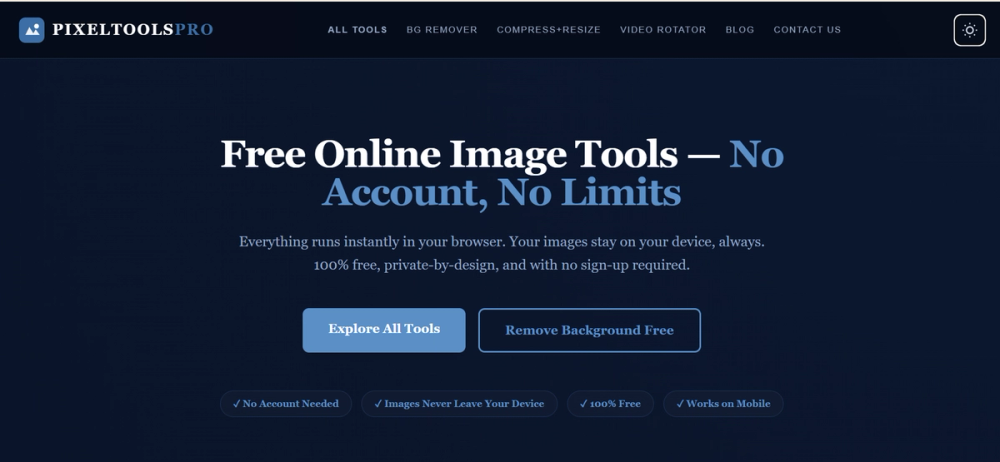
Pixel pro tools presents itself as a collection of free, browser-based image and video utilities that run locally on your device. The public page highlights compress, resize, crop, rotate, format conversion, and AI watermark removal workflows without requiring an account or server upload. Anyone evaluating the product should confirm which tools they need and test output quality on their own files before relying on it for production work.
Key Features
- Professional image tools accessible in the browser on PC and mobile, with processing described as running locally on the device.
- AI Watermark Remover that removes text, logo, and timestamp watermarks from images and videos up to 5 minutes using Gemini AI inpainting.
- Compress Image tool to reduce JPG, PNG, or WebP file size with live preview; the site mentions reductions up to 90% without visible quality loss.
- Resize Image with exact pixel dimensions or percentage scaling and automatic aspect-ratio locking.
- Compress + Resize in one pass to avoid double-compression when shrinking dimensions and file size together.
- Crop Image with drag-to-crop and presets such as 1:1, 16:9, 9:16, and 4:3.
- Rotate & Flip, Add Watermark, and format converters for JPG, PNG, and WebP.
- MP4 to MP3 audio extraction, YouTube thumbnail downloader, and video rotation for MP4, WebM, and MOV files.
Use Cases
The site appears aimed at creators, bloggers, and small sellers who need quick image prep without signing up or uploading files to a remote server. Compress and resize workflows could help bloggers shrink large post images, while the WebP converter is positioned for site-speed improvements. The watermark remover may interest sellers or designers working with stock or watermarked assets, though results should be validated on real files.
Etsy sellers, tech bloggers, and UI designers are quoted on the page describing watermark removal, combined compress-and-resize, and WebP conversion. Those testimonials are marketing copy on the public site rather than independent verification, so readers should judge fit from their own workflows.
Teams that care about privacy may find the zero-upload positioning useful for sensitive images, but anyone handling copyrighted or licensed material should still confirm legal rights before removing watermarks or reusing outputs commercially.
Pricing
The public page repeatedly states the tools are free with no signup, no subscription, and no watermarks added to outputs. Copy mentions "0$ Forever Free, No Signup" and "No freemium traps, no download limits." There is no tiered pricing table on the fetched homepage, so readers should confirm on the official site whether any tool or future feature introduces paid limits.
User Experience and Support
The page describes a three-step flow: upload a file locally, adjust settings, then download the result without signup prompts. Tools are said to process via browser Canvas API or WebAssembly, with most operations completing in under a second. The interface is described as mobile optimized with touch-friendly drag-and-drop controls.
Support signals include an on-page FAQ, a Blog & Guides section in navigation, plus Privacy Policy and Terms of Service links. There is no dedicated help center URL in the fetched evidence, so teams needing hands-on support should look for contact options or documentation on the live site before committing to a workflow.
Technical Details
Processing is described as 100% browser-based using WebAssembly, Canvas API, Web Audio API, and MediaRecorder. The AI watermark remover uses a brush tool plus local inpainting; the site states files are not sent to a server. PixPrivacy is also presented as a Progressive Web App installable from the browser, with offline use after first load.
Practical limits depend on device RAM rather than a server cap; the FAQ mentions images up to about 20MB and videos up to about 500MB. A Microsoft App install option is referenced on the page. Readers who need APIs, batch automation, or team integrations should verify whether those exist, because the fetched copy focuses on individual browser tools rather than developer integrations.
Pros and Cons
Pros
- Clear positioning around local processing and zero server upload for privacy-conscious users.
- Broad tool set covering image compression, resizing, cropping, conversion, video rotation, and audio extraction in one place.
- No account requirement and free access across listed tools according to the public page.
- Combined compress-and-resize and WebP conversion may reduce repetitive editing steps for site publishers.
- PWA install option and mobile-friendly controls appear useful for quick edits on different devices.
Cons
- Only the homepage was available in fetched evidence, so per-tool limits and behavior may differ once opened.
- Watermark removal quality and legal appropriateness depend on source material and should be tested case by case.
- Performance claims such as sub-second processing and large percentage size reductions are site marketing, not independent benchmarks.
- No visible API, enterprise support, or integration list on the fetched page.
- Testimonials on the site are promotional and should not be treated as verified third-party reviews.
FAQ
What is Pixel pro tools based on the public website?
The site presents a free, all-in-one collection of browser-based image and video tools branded around PixPrivacy, including compression, resizing, cropping, rotation, format conversion, watermark removal, MP4-to-MP3 extraction, and YouTube thumbnail download.
Who is Pixel pro tools most relevant for?
It seems most relevant for individuals who need quick media edits in the browser without creating an account-bloggers, creators, sellers, and designers preparing images or short videos for web use. Fit still depends on file sizes, browser support, and required output quality.
Are files uploaded to a server when using these tools?
The public FAQ states files are not uploaded and processing uses browser-native APIs such as Canvas, Web Audio API, MediaRecorder, and WebAssembly. Readers with strict compliance needs should still review the current privacy policy and test network behavior in their environment.
How does the AI watermark remover work according to the site?
Users paint over a watermark with a brush, and an inpainting algorithm reconstructs surrounding pixels locally in the browser. The page mentions Gemini AI inpainting and support for images plus videos up to 5 minutes. Effectiveness on complex watermarks should be verified on real samples.
What pricing or account requirements does the site show?
The homepage emphasizes free forever access, zero subscription, and no signup for the listed tools. No paid plan table appeared in the fetched copy, so confirm current terms on the live site if usage volume or commercial rights matter.
Can Pixel pro tools be installed or used on mobile?
The site says it works on browser, PC, and mobile, with touch-friendly controls and PWA installation from the browser address bar for home-screen or desktop use after first load. Offline use is mentioned after initial load, but readers should confirm in their target browser.
What should buyers verify before relying on Pixel pro tools for commercial work?
Confirm output rights for watermark removal, acceptable file-size limits on your hardware, format support for your assets, and whether free access covers your expected volume. Marketing claims about speed and compression should be validated on your own files rather than assumed.
Conclusion
Pixel pro tools is worth a closer look if you want browser-local image and video utilities without account signup. Review the official site for the latest tool list, privacy details, and any policy changes, then test the specific workflows you plan to use before depending on them in production.