Introduction
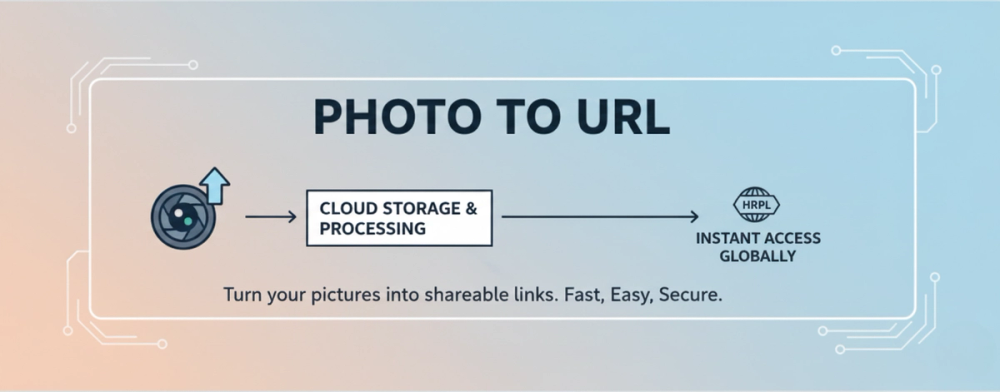
Photo to URL is a web tool for turning images into shareable links. The public page presents Photo To URL as a free image hosting and URL conversion service where users can upload a photo, receive a clean link, and use that link elsewhere.
The product is most relevant for bloggers, developers, small teams, and higher-volume users who need hosted image links without setting up their own storage or CDN workflow. Its clearest value is practical: drag, drop, click, or paste an image, then get a hosted URL. A careful user should still verify retention rules, permissions, and plan limits before relying on it for production or client-facing assets.
Key Features
- Photo-to-link conversion: Users can upload a photo and receive a shareable URL for use in websites, documents, messages, or other publishing workflows.
- Multiple image formats: The homepage mentions support for JPG, PNG, WEBP, and GIF files.
- Drag-and-drop, click, and paste support: The upload flow supports common ways of adding images, including pasted screenshots.
- Clean hosted links: The site says it enhances and hosts the uploaded photo, then returns a clean link.
- CDN acceleration by plan: The free plan lists basic acceleration, while paid tiers include standard acceleration or priority high-speed nodes.
- Batch upload on paid tiers: Pro supports batch upload for 20 photos, while Premium supports batch upload for 50 photos.
- Additional file and editing tools: Navigation shows related tools such as PDF to URL, File to URL, Circle Crop, Rounded Corners, and Remove Background.
- Webhook and permissions on paid tiers: Pro and Premium list webhook support, with partial resource permissions on Pro and all permissions on Premium.
Use Cases
Photo to URL is useful when someone needs a quick hosted image link without creating a full media infrastructure. A blogger might use it to host small assets for posts, while a developer might use it to generate image URLs for prototypes, documentation, support tickets, or testing workflows.
The paid tiers suggest a more operational use case for teams that handle many uploads. Pro is described as suitable for bloggers, developers, and small teams, with larger upload limits, more daily uploads, document hosting, photo hosting, photo editing, webhook support, and ad-free use. Premium is positioned for enterprise, high-frequency use, and automation systems, where unlimited daily uploads, more storage, and all resource permissions may matter.
Photo to URL can also help users who frequently work with screenshots. The public page specifically mentions paste support, which is useful for quickly turning a captured image into a link that can be shared in issue trackers, chat tools, or documentation. Users should verify privacy expectations and access controls for sensitive images before uploading anything confidential.
Pricing
Photo to URL has a visible pricing page with Free, Pro, and Premium plans. The Free plan is listed at $0 per year and is positioned for trying the product and testing features. It includes a 2MB upload size, 10 daily uploads, 200MB storage, basic CDN acceleration, and no batch upload, document hosting, photo hosting, photo editing, webhook, or resource permissions.
The Pro plan is described for bloggers, developers, and small teams. The evidence lists a 50MB upload size, 1000 daily uploads, 100GB storage, standard CDN acceleration, ad-free use, batch upload for 20 photos, document hosting, photo hosting, photo editing, webhook support, and partial resource permissions.
The Premium plan is positioned for enterprise, high-frequency use, and automation systems. It lists a 256MB upload size, unlimited daily uploads, 200GB storage, priority high-speed CDN nodes, ad-free use, batch upload for 50 photos, document hosting, photo hosting, photo editing, webhook support, and all resource permissions. The public FAQ also raises payment methods, cancellation, downgrade behavior, and what counts as an upload, so buyers should review those details before committing.
User Experience and Support
The core experience appears intentionally simple: choose a region, drag a photo into the uploader, click to select a file, or paste a screenshot, then receive a hosted link. That makes the tool approachable for users who want a quick URL rather than a complex asset-management dashboard.
Support information is more limited on the fetched pages. The public material includes a FAQ section, and the pricing area explains several operational questions around payments, cancellation, downgrades, and upload counting. There is no detailed support channel visible in the fetched evidence, so teams that need service-level expectations, priority assistance, or account support should verify those options directly before using the product in a business-critical workflow.
Technical Details
Photo to URL supports JPG, PNG, WEBP, and GIF uploads. The homepage mentions a 5MB limit, while the pricing details show different plan limits: 2MB on Free, 50MB on Pro, and 256MB on Premium. Because these numbers appear in different contexts, users should check the current limit shown at upload time and on the pricing page before choosing a plan.
The pricing evidence also lists storage, daily upload quotas, CDN level, batch upload capacity, document hosting, photo hosting, photo editing, webhook availability, and resource permissions. These details make Photo to URL more than a basic one-off uploader on paid plans, especially for developers or teams that may want automation through webhooks. The public evidence does not describe API documentation in detail, so technical teams should confirm the integration path before building around it.
Pros and Cons
Pros
- Simple workflow for converting a photo into a hosted, shareable URL.
- Supports common image formats including JPG, PNG, WEBP, and GIF.
- Useful upload methods include drag-and-drop, clicking, and pasted screenshots.
- Pricing tiers clearly show upload size, daily limits, storage, CDN level, batch upload, webhook, and permission differences.
- Paid plans appear suitable for heavier content workflows, small teams, and automation-oriented use cases.
Cons
- Support channels are not clearly detailed in the fetched public material.
- The homepage and pricing evidence show different upload-size contexts, so users should verify current limits before relying on a plan.
- Sensitive or private images require caution; users should review permissions, storage behavior, and access controls before uploading.
- API or webhook implementation details are not visible in the fetched evidence, even though webhook support is listed on paid tiers.
FAQ
What does Photo to URL do?
Photo to URL converts uploaded photos into shareable hosted links. The site describes the flow as uploading a photo, getting a link, and using it anywhere.
Who is Photo to URL best for?
It is best for users who frequently need hosted image links, including bloggers, developers, small teams, and higher-volume teams. The pricing page specifically describes Pro for bloggers, developers, and small teams, and Premium for enterprise, high-frequency use, and automation systems.
What image formats does Photo to URL support?
The homepage mentions JPG, PNG, WEBP, and GIF support. It also says users can drag and drop, click to upload, or paste screenshots.
Does Photo to URL have a free plan?
Yes. The Free plan is listed at $0 per year and includes 2MB uploads, 10 daily uploads, 200MB storage, and basic CDN acceleration. It is positioned for trying the product and testing features.
What plan should developers or small teams consider?
Developers and small teams may want to review the Pro plan because it lists 50MB uploads, 1000 daily uploads, 100GB storage, standard CDN acceleration, batch upload, photo hosting, document hosting, photo editing, webhook support, and partial resource permissions.
Does Photo to URL support automation?
The Pro and Premium tiers list webhook support, which suggests some automation capability. The fetched evidence does not show detailed API or webhook documentation, so technical teams should verify implementation details before depending on it.
What should I check before uploading sensitive images?
Check resource permissions, storage behavior, downgrade rules, and whether links are public or access-controlled. The pricing page lists resource permissions by tier, but users should review the current terms and product behavior before uploading confidential files.
Conclusion
Photo to URL is a practical image-hosting utility for quickly turning photos into clean shareable links. Its strengths are a simple upload flow, common format support, visible plan limits, and paid features that may fit bloggers, developers, small teams, and automation-heavy users.
For casual use, the free plan gives a low-friction way to test the workflow. For repeated publishing, development, or team operations, the important step is comparing upload size, daily limits, storage, CDN level, webhook access, and permissions against the way the links will actually be used.