Introduction
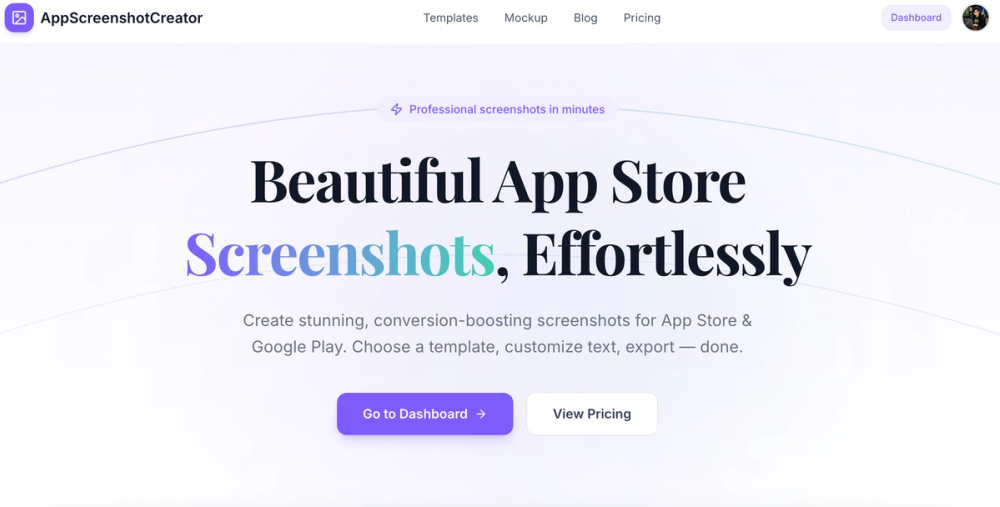
AppScreenshot Creator is a web-based tool designed to generate App Store and Google Play screenshots from a single image upload. It produces store-compliant screenshot sets in the correct dimensions for various iPhone, iPad, and Android devices, with no design software required. Users upload a hero image, select a device size, and download a ready-to-upload set.
For indie developers and small teams preparing to launch on mobile app stores, the value is straightforward: eliminate the back-and-forth with a designer or the learning curve of Figma, and produce publication-ready screenshots in a single step.
Key Features
Device-Specific Screenshot Generation
Upload one image and get correctly sized screenshots for iPhone 6.9-inch, 6.5-inch, 6.1-inch, 5.5-inch, 4.7-inch, iPad Pro 13-inch, 12.9-inch, 11-inch, and 10.9-inch. Each output matches the exact pixel dimensions required by the App Store and Google Play Store.
Android Screenshot Support
In addition to iOS, the tool generates Play Store screenshots for Android devices including Pixel, Samsung Galaxy, and other popular screen sizes. This covers both major mobile platforms from a single workflow.
Clean, Consistent Output
The generated screenshots maintain visual consistency across all device sizes. The tool preserves the original image quality while scaling and positioning it within each device frame, ensuring a professional appearance across the full set.
No Design Software Needed
The tool runs entirely in the browser with no account required. Users upload an image, select their target devices, and download the complete set. No Figma, Canva, or Photoshop needed.
Multi-Store Compliance
Output dimensions match the latest App Store and Play Store guidelines for each device class. This eliminates the guesswork of checking current requirements and resizing manually for each format.
Use Cases
Launching an App on the App Store
The primary use case. Developers preparing for an iOS launch can generate a complete screenshot set that meets Apple's exact dimension requirements across all supported iPhone and iPad sizes. This is particularly useful during the final push before submission.
Launching an App on Google Play
Android developers face a similar challenge with Play Store screenshot requirements. The tool handles Pixel, Samsung, and other Android screen sizes, producing a complete set ready for upload to the Play Console.
Updating Screenshots for an Existing App
When refreshing store listing visuals, developers can quickly generate new screenshot sets for updated feature sets or UI changes without redesigning from scratch. Upload a new hero image, download the full set, and publish.
Supporting Multiple Device Form Factors
Apps that need to demonstrate responsive design across phone and tablet sizes benefit from having a complete, consistent screenshot set that covers every major device class.
Pricing
Based on the evidence fetched, the pricing structure for AppScreenshot Creator was not prominently detailed on the main page. The site appears to offer the tool with a free entry point, though specific tier details would need verification on the dedicated pricing page.
User Experience and Support
The workflow is designed for simplicity: upload, select devices, download. The tool runs in the browser with no account creation required for basic use. The contact page suggests responsiveness to user feedback and bug reports.
Support channels are not extensively detailed in the evidence, but the contact page provides a direct line for questions and suggestions.
Technical Details
AppScreenshot Creator is a web-based tool that processes images entirely in the browser. No server-side processing or account storage is required for the core workflow. The tool generates output in the exact pixel dimensions required by each store's guidelines for each supported device class.
The tool supports both PNG and JPG uploads and produces output files optimized for store submission. The exact output formats and compression settings were not detailed in the evidence.
Pros and Cons
Pros:
- No design software or account required
- Covers both iOS and Android device sizes
- Output matches current App Store and Play Store guidelines
- Single-image upload produces a complete screenshot set
- Browser-based tool with no installation needed
- Supports all major iPhone, iPad, and Android screen sizes
- Simple three-step workflow
Cons:
- Pricing details not fully visible in the evidence
- No evidence of advanced features like text overlays or annotations
- Limited information about output format options beyond screenshots
- No mention of team collaboration or bulk generation features
- Support channels not prominently detailed
FAQ
What devices does AppScreenshot Creator support?
The tool supports iPhone 6.9-inch, 6.5-inch, 6.1-inch, 5.5-inch, 4.7-inch, iPad Pro 13-inch, 12.9-inch, 11-inch, 10.9-inch, and various Android devices including Pixel and Samsung Galaxy screen sizes.
Do I need an account to use the tool?
The evidence suggests the tool can be used without an account for basic screenshot generation. The workflow is designed to be simple: upload, select devices, download.
Does it support both App Store and Google Play?
Yes. The tool generates correctly sized screenshots for both the Apple App Store and the Google Play Store, covering all major device classes on each platform.
Can I use it for tablet screenshots?
Yes. iPad Pro sizes (13-inch, 12.9-inch, 11-inch, and 10.9-inch) are all supported, along with phone form factors.
Conclusion
AppScreenshot Creator addresses a specific pain point for mobile app developers: producing store-compliant screenshots without design expertise or software. The browser-based, no-account-required approach makes it accessible for indie developers and small teams who need publication-ready screenshots quickly. The coverage of both iOS and Android device sizes from a single upload streamlines the process for cross-platform launches. While the evidence does not detail advanced customization options, the core value proposition of fast, guideline-compliant screenshot generation is clear and well-targeted.