Introduction
SkyVid AI is an all-in-one video and image generation workspace that brings multiple frontier AI models together under a single subscription and interface. Rather than juggling separate tools for text-to-video, image generation, video effects, and avatar creation, SkyVid lets you switch between models like Veo 3.1, Sora 2, Kling 2.5, Runway Gen4, and Hailuo from one dashboard.
For creators who need to produce video and image content across different AI models, the value is clear: one account, one billing relationship, one workspace. The platform also includes over 300 reusable video effect templates for social media, making it a practical option for both professional content production and quick social clips.
Key Features
Text to Video Generation
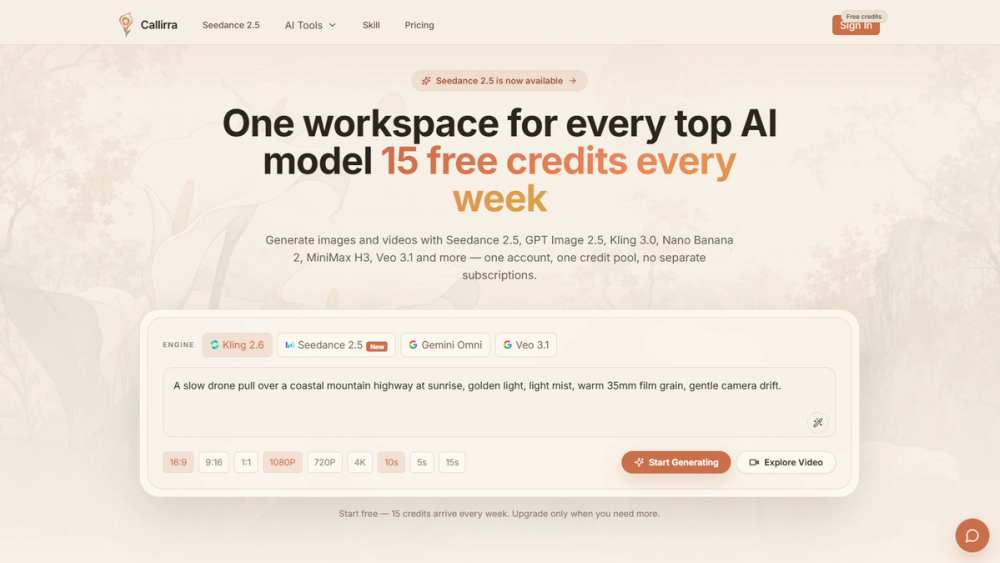
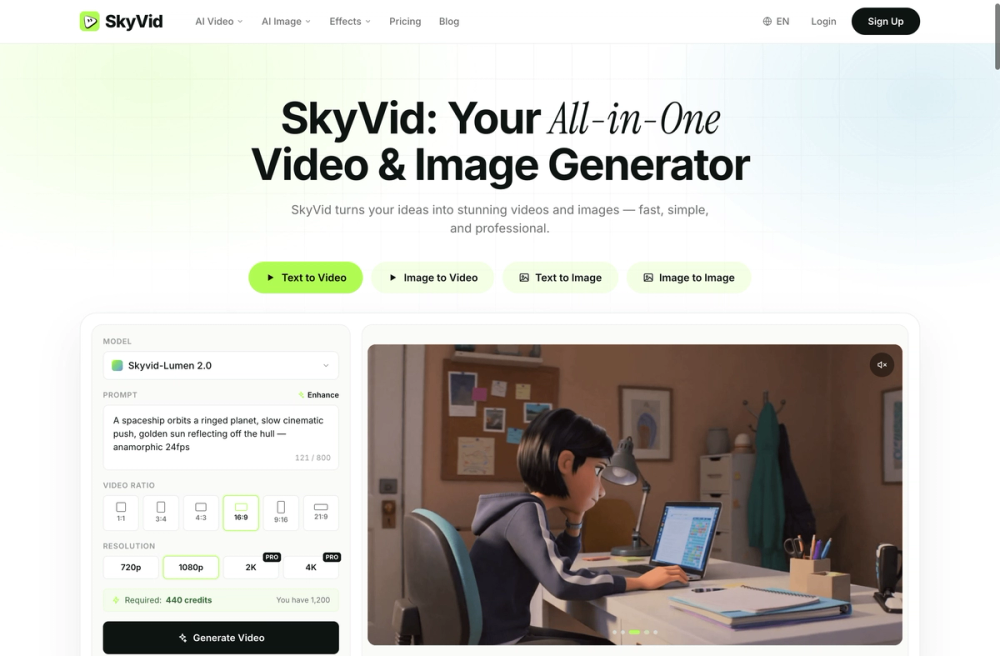
The core feature. Enter a text prompt, choose a video model, select aspect ratio, quality level, and duration, then generate. SkyVid supports multiple models in this category including Seedance 2.0, Veo 3.1, Sora 2, Kling 2.5, Runway Gen4, and Hailuo. Each model has different strengths in motion quality, prompt adherence, and visual style, so the ability to compare outputs across models from a single interface is a meaningful advantage.
Image to Video Animation
Upload a still frame and animate it while preserving the subject's identity. This is useful for turning product photos, concept art, or key frames into motion content without starting from a text prompt.
Video to Video Transformation
Restyle existing footage by applying new visual styles, moods, and motion patterns. This lets you repurpose content you have already created rather than generating everything from scratch.
Reference to Video
Use visual references to maintain style, character consistency, and scene continuity across generated clips. This is particularly relevant for creators building narrative sequences or branded content that needs visual consistency.
AI Avatar and Lip Sync
Generate presenter-style talking avatar clips for explainers, localization, and demos. The lip sync feature matches mouth movement to voiceover, making it suitable for instructional content and multilingual presentations.
Image Generation
Beyond video, SkyVid includes text-to-image and image-to-image capabilities. Supported image models include Seedream 4.5, Flux 2 Pro, Midjourney, Ideogram, Recraft, and Stable Diffusion. The prompt drafting feature lets you try multiple image models from one prompt and compare outputs side by side.
300+ Video Effect Templates
A library of viral AI video templates including AI Hug, Kissing, Dance, Outfit Change, and Old Photo Revive. These are designed for one-click social media content creation on TikTok and Reels.
Multi-Model Access
The platform supports over 20 models across video and image categories, including Seedance 2.0, Veo 3.1, Sora 2, Kling 2.5, Runway, Hailuo, Pika, PixVerse, Vidu, Luma, Wan AI, Midjourney, Flux, GPT-4o, and more. All accessible from a single workspace with one subscription.
Use Cases
Social Media Content Creation
The primary use case for many users. The effect templates and text-to-video pipeline are built for producing TikTok, Reels, and short-form social content quickly. The one-click viral effect workflows reduce the time from idea to published clip.
Professional Video Production
For creators working on client projects, commercials, or branded content, the multi-model access and up to 4K resolution output provide the flexibility to match different visual requirements. The commercial license included with generation makes this viable for professional use.
Product Photography and Marketing
The image generation features include product shots and brand concept creation. Marketers can generate commercial visuals, explore visual directions, and create advertising content without a photography setup.
Explainer and Educational Content
The AI avatar and lip sync features are designed for creating presenter-style videos for explainers, demos, and localization. This is useful for training materials, product walkthroughs, and multilingual content.
Concept Art and Storyboarding
The text-to-image and image-to-image features let creators quickly explore visual directions, generate storyboards, and iterate on concepts before committing to final production.
Content Repurposing
The video-to-video transformation and image animation features let creators take existing content and restyle it for different platforms or audiences, extending the life of produced material.
Pricing
SkyVid operates on a credit-based model with multiple tiers. The site mentions Lite for getting started, Pro for working creators, and Max for studios, with annual plans saving up to 40%. Credit packs never expire, which is notable for creators with variable production schedules.
A free tier is available with 10 generations on signup and no credit card required. The example on the site shows a 1080p video generation requiring 328 credits, giving a sense of the credit cost per output. The pay-as-you-go option provides flexibility beyond subscription plans.
The specific pricing for each tier is available on the dedicated pricing page, but the credit-based structure suggests that cost per generation varies by model, resolution, and duration.
User Experience and Support
The workspace is organized around the core generation modes: text to video, image to video, video to video, and image generation. The model selection interface lets you compare supported models without leaving the workspace, which simplifies the decision of which model to use for a given project.
The effect template gallery includes preview thumbnails for each effect, making it easy to browse and select templates before generating. The one-click workflow for viral effects reduces the friction for social media content creation.
Support channels are not prominently detailed on the main page. The site mentions a blog and pricing page, but direct support options are not visible in the evidence. The self-service nature of the platform suggests users are expected to navigate the interface independently.
Technical Details
SkyVid integrates with over 20 AI models across video and image categories. The platform handles the model switching, credit management, and output delivery from a single interface. The site mentions sub-minute generation times for some operations and up to 4K resolution output.
The commercial license included with generation is a significant detail for professional users. The site claims 10 million users worldwide, suggesting a mature platform with established infrastructure.
The platform supports multiple aspect ratios (1:1, 9:16, 16:9, 4:3, 3:4, 21:9) and quality levels (480p, 720p, 1080p), giving creators flexibility for different distribution channels.
Pros and Cons
Pros:
- Access to 20+ AI models under one subscription
- Single workspace for video and image generation
- Credit-based pricing with no expiration on credit packs
- Free tier available with 10 generations on signup
- 300+ viral effect templates for social media
- Commercial license included
- Multiple aspect ratios and quality levels supported
- Up to 4K resolution output
Cons:
- Credit costs vary by model and output specifications
- No visible direct support channels on the main page
- Quality depends on the specific model chosen for each task
- No mention of mobile app or offline capabilities
- Advanced features may require higher-tier subscriptions
- No explicit collaboration or team features visible in the evidence
FAQ
How does SkyVid's credit system work?
SkyVid uses credits for generation. Different models, resolutions, and durations consume different amounts of credits. Credit packs never expire, and you can choose between subscription plans or pay-as-you-go. The free tier includes 10 generations on signup.
Can I use SkyVid for commercial projects?
Yes. The site states that commercial license is included with generation, making the output usable for client work, advertising, and professional content production.
Which video models does SkyVid support?
SkyVid supports Seedance 2.0, Veo 3.1, Sora 2, Kling 2.5, Runway Gen4, Hailuo, Pika, PixVerse, Vidu, Luma, and Wan AI, among others. The model selection is integrated into the generation interface for easy switching.
Do I need to create an account to try SkyVid?
No. The free tier includes 10 generations on signup with no credit card required. This lets you test the platform before committing to a paid plan.
What aspect ratios and quality levels are supported?
SkyVid supports 1:1, 9:16, 16:9, 4:3, 3:4, and 21:9 aspect ratios. Quality options include 480p, 720p, and 1080p, with up to 4K resolution available for certain outputs.
How does the video effect template library work?
The library includes 300+ viral AI video templates designed for one-click social media content. You browse the template gallery, preview the effect, and generate with your chosen parameters. Templates cover popular formats like AI Hug, Dance, and Outfit Change.
Conclusion
SkyVid AI addresses a real pain point in the AI content creation space: the fragmentation across multiple models and tools. By consolidating access to 20+ video and image models under one subscription with a credit-based pricing model, it eliminates the need to manage multiple accounts and billing relationships. The combination of generation modes, effect templates, and commercial licensing makes it viable for both casual social media creators and professional content producers. The free tier with 10 generations provides a low-risk way to evaluate the platform, and the credit packs that never expire accommodate variable production schedules. For creators who need flexibility across AI models without the overhead of managing separate tools, SkyVid is worth testing.