Introduction
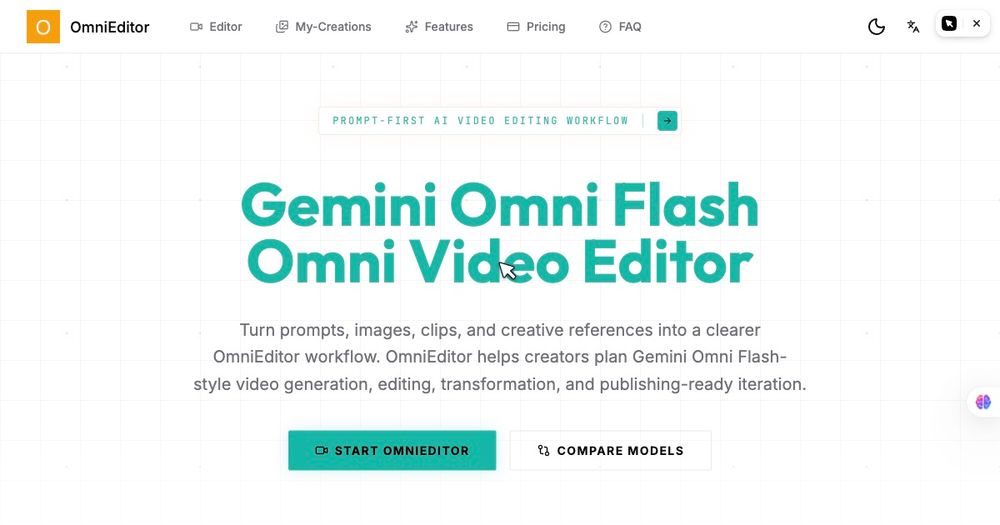
OmniEditor (listed as gemini omni) is a prompt-first AI video workspace built around Gemini Omni Flash workflows: turn text, images, clips, and style references into short-form video ideas, then refine them with natural-language edit instructions instead of rebuilding every shot. The site targets creators and marketing teams who need social ads, product demos, explainers, and campaign variants with multimodal references and credit-based generation. Confirm current credit costs per render, watermark rules, and model availability on the live pricing page before committing to a production pipeline.
Key Features
- Gemini Omni Flash Omni Video Editor with prompt-led generation, editing, transformation, and iteration in one editor flow.
- Text to video: define subject, action, location, camera motion, style, and output format from a scene prompt.
- Image to video: use product shots, storyboard frames, or character stills to guide the first motion pass.
- Video to video editing: keep useful parts of an existing clip while requesting targeted background, subject, framing, or timing changes in plain language.
- Reference consistency: preserve products, characters, layouts, and style notes across variations and follow-up edits.
- Audio-aware direction: plan ambience, speech timing, lip-sync intent, sound effects, and beat-matched motion in the creative brief.
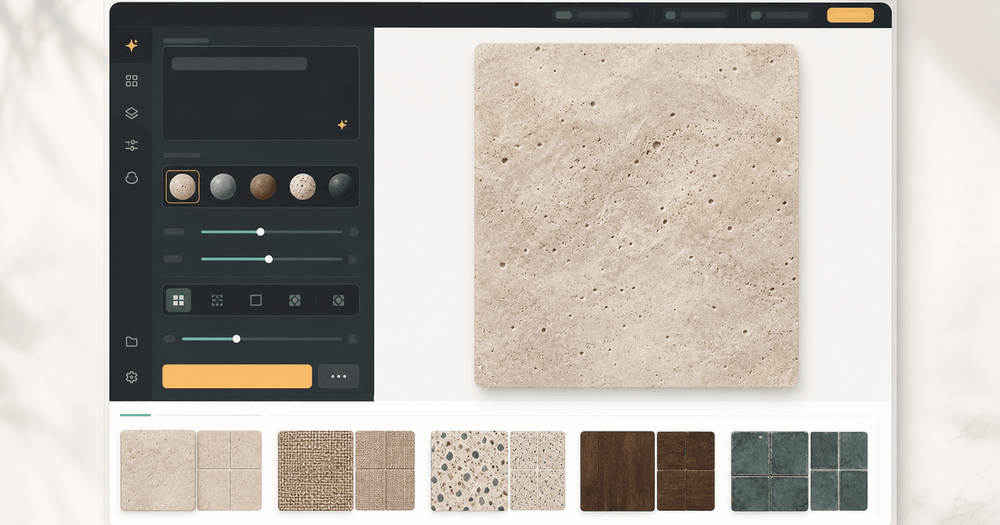
- Multimodal references: combine prompts with uploaded images, video units, and style notes (the UI shows reference slots and aspect ratio / duration controls).
- Model comparison content on-site contrasting Gemini Omni Flash (iterative, reference-led edits) with Seedance 2.0 (more polished production passes).
- My-Creations area and multi-model support mentioned across plans for managing outputs.
Use Cases
Social and performance marketers can test multiple hooks, formats, and reference mixes for Shorts, Reels, and paid social concepts without reshooting every variant.
E-commerce and product teams may turn pack shots and concise prompts into cinematic product videos and launch teasers while locking table, lighting, and camera continuity when swapping subjects.
Creators producing avatar clips, streaming intros, explainers, and video-chat assets can use the same prompt-first workflow to plan rhythm and visual direction before a final polish pass.
Teams comparing AI video stacks can use the published Gemini Omni Flash vs Seedance 2.0 guidance to decide when to iterate edits versus when to prioritize a higher-fidelity production render.
Pricing
OmniEditor publishes Simple, Transparent credit plans with monthly and annual billing (annual messaging includes savings up to 50%).
Free ($0/year on the annual view): 10 credits, up to about 2 videos, 1 parallel task, text/image/video-to-video and reference image/video inputs, watermarked outputs, and normal support.
Lite (shown as $180 list / $150/year billed annually): 13,000 credits/year, up to about 1,300 videos/year, 2 parallel tasks, faster generation, no-watermark outputs, more camera movement options, private video visibility, copy protection, priority support, and optional add-on credit packs.
Pro (shown as $360 list / $300/year billed annually): 31,000 credits/year, up to about 3,100 videos/year, 3 parallel tasks, same premium output features as Lite, plus priority support.
The editor UI references Generate with Omni Flash (45 credits) for a sample motion preview-treat per-clip credit use as plan-dependent and verify in-product before large batches. Pricing FAQ covers credit expiry, buying credits without a subscription, and Gemini Omni Flash usage.
User Experience and Support
Navigation includes Editor, My-Creations, Features, Pricing, and FAQ. The homepage emphasizes describing what should change versus what must stay locked (camera, style, subject, background, ending feel). Free tier users should expect watermarks; paid tiers advertise private visibility and copy protection. Support tiers range from normal (Free) to priority (Lite/Pro). Use the on-site Pricing FAQ for billing and credit questions.
Technical Details
OmniEditor is a browser-based MultimediaApplication-style AI video platform centered on Gemini Omni Flash, with workflows for text-to-video, image-to-video, and video-to-video editing. Evidence shows multimodal reference uploads, aspect ratio and duration controls, parallel task limits by plan, and optional comparison with Seedance 2.0 for production-heavy jobs. No public API or enterprise SSO details appeared in the fetched pages; integrations are described as in-platform multi-model support rather than third-party connectors.
Pros and Cons
Pros
- Clear prompt-first editing model that separates "change this / keep that" from full regenerations.
- Strong reference-led workflow for products, characters, and scene continuity.
- Transparent credit tiers with meaningful free trial credits for testing.
- Useful on-site comparison between iterative (Omni Flash) and polish-oriented (Seedance 2.0) approaches.
- Paid plans remove watermarks and add privacy, copy protection, and faster generation.
Cons
- Credit math can add up quickly (example UI shows 45 credits per Omni Flash generation).
- Free outputs are watermarked with limited parallelism.
- Final creative quality still depends on prompt discipline and model limits-not a full non-linear editor replacement.
- Heavy campaign work may require annual Lite/Pro spend plus add-on packs.
FAQ
What is Gemini Omni Flash on OmniEditor?
It is the primary AI video model/workflow OmniEditor surfaces for prompt-based creation and natural-language video edits, including text-to-video, image-to-video, and video-to-video changes with multimodal references.
How does prompt-led video editing work?
You describe what should change, what must stay consistent (camera, lighting, subject, background), and how the clip should feel; OmniEditor applies those instructions so you refine shots instead of rebuilding from scratch each time.
How much does Omni Flash video generation cost in credits?
The interface shows an example of 45 credits for an Omni Flash generation with motion preview; exact costs may vary by duration, settings, and plan-check the editor and Pricing FAQ before batch runs.
What is included in the Free plan?
The Free plan includes 10 credits (up to about 2 videos), one parallel task, core text/image/video and reference inputs, watermarked outputs, and normal support.
What do Lite and Pro add over Free?
Both paid annual plans include far more yearly credits, faster generation, no-watermark outputs, more camera movement options, private video visibility, copy protection, and priority support; Pro adds higher credit volume and three parallel tasks versus two on Lite.
Can I buy credits without subscribing?
The Pricing FAQ addresses purchasing add-on credit packs; confirm current rules on the live pricing page.
When should I use Gemini Omni Flash vs Seedance 2.0?
OmniEditor's comparison positions Gemini Omni Flash for iterative, reference-driven edits and rapid campaign variants, and Seedance 2.0 when you need a more finished, cinematic production pass.
Who is OmniEditor for?
Creators, social marketers, and small teams producing short ads, product videos, explainers, intros, and multimodal test variants who want AI-assisted first passes with human creative control on the final cut.
Conclusion
OmniEditor packages Gemini Omni Flash as a practical Omni Video Editor for prompt-first short-form video: multimodal references, targeted natural-language edits, and credit-based plans from a small free trial through Lite and Pro annual tiers. Visit omnieditor.io to test the editor, validate per-clip credit usage, and choose whether iterative Omni Flash workflows-or a polish-focused model like Seedance 2.0-fits your campaign pipeline.